
A self-evolving harness. Your definition of better.
Connect models and tools to a task, measure what happens, and test improvements against your own criteria. Evolution is an evaluated process—not permission to change production unchecked.
Learn from runs. Promote with intent.
- 01
Trace
Capture the request, sources, tool calls, output and resource use.
- 02
Evaluate
Score task accuracy, grounding, policy adherence and cost against a baseline.
- 03
Propose
Try a different prompt, model, tool sequence or retrieval configuration.
- 04
Compare
Replay representative tasks, including difficult cases and regressions.
- 05
Review & promote
An authorized owner reviews evidence and decides which version can run.
- 06
Monitor & revert
Watch quality, drift and budgets; keep the prior configuration available.
The task, the tools and the test live together.
Your teams choose what the agent may access, how a good result is judged and which changes need approval. A smaller model is only a saving if it still passes the task.
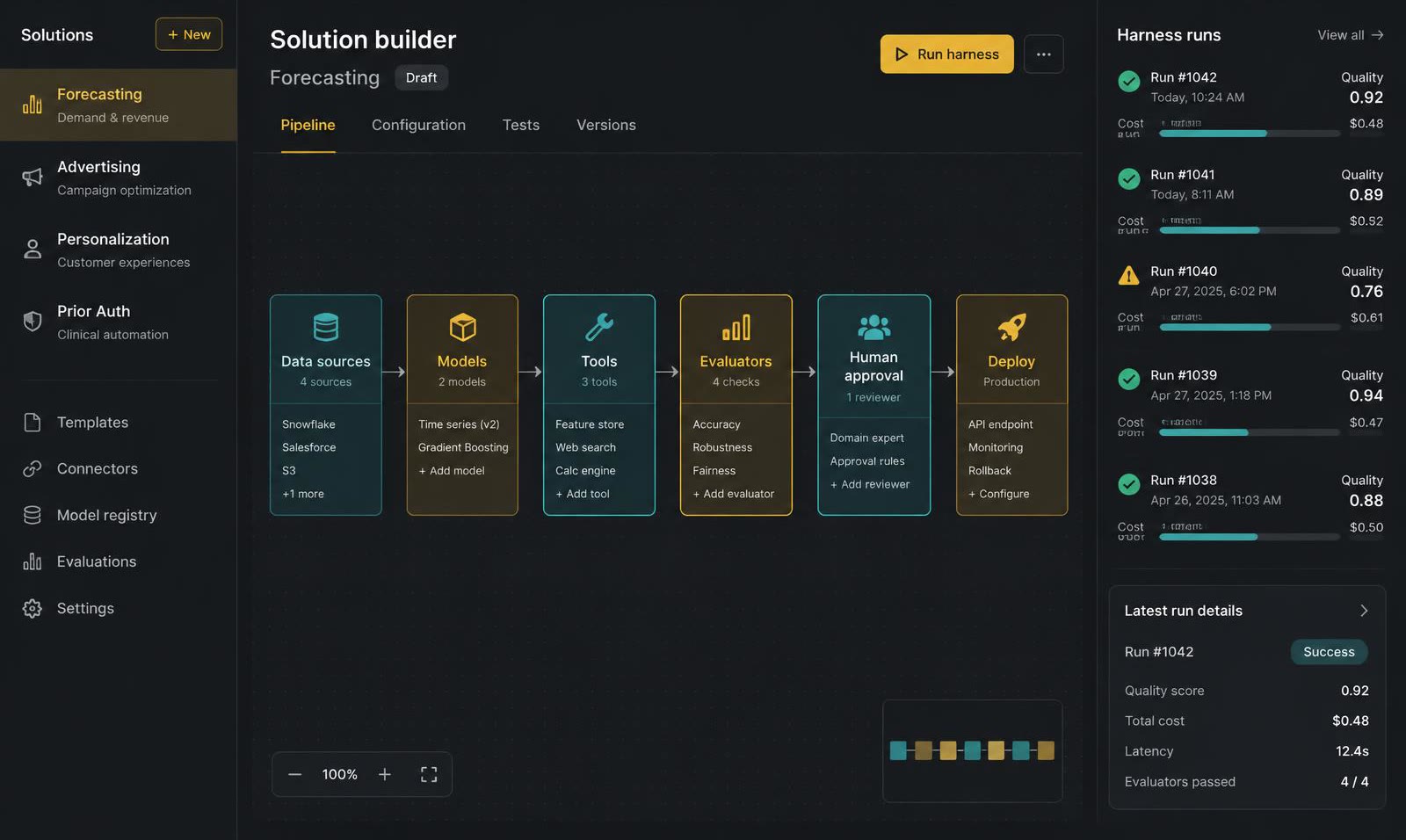
Compose the right building blocks.
Reasoning models can plan and explain; specialist models can transcribe, rank or forecast; tools connect the work to your systems. Confirm licenses and deployment compatibility for each choice.
Open models such as DeepSeek, Qwen, Llama and GPT-OSS, or your own fine-tunes.
Transcription, voice agents and regional-language models, including Indic-language models such as Sarvam's.
Read forms, faxes, scans, charts and slides into structured, cited context.
Time-series foundation models alongside gradient boosting and statistical baselines.
Warehouses, CRM, ad platforms, EHR, ERP — add a tool or build one from the workspace.
Rubrics, golden sets and human review decide what ships and who signs off.
- Pick models & tools
- →Run
- →Evaluate
- →Evolve
- →Promote within budget
Model names are examples, not partnerships. Confirm licensing and deployment compatibility; tool access is scoped to your approved integrations.
Combine what people see, hear and read.
Evaluate each modality separately, then test the complete workflow. Transcription errors, missed visual signals and uncertain source matches need explicit escalation paths.
Speech
Combine transcription, translation and speech output for calls, dictation and radio-review workflows.
Audio
Evaluate sound-event models for alarms and machinery signals; separate speakers and route uncertain audio for review.
Video
Search authorized footage, retrieve timestamped clips and prepare summaries for operator review.
Images
Use specialist vision models to compare drone, satellite or scanned imagery, with domain-specific validation.
Documents & data
Fuse reports, sensor feeds, maps and records with what was seen and heard into one cited picture.
- Pick modalities
- →Choose open models
- →Add tools & rules
- →Evaluate on your data
- →Deploy at the edge or on-prem
From evaluation to operation
What should your agents improve at?
Bring a task, a baseline and your operating constraints. We'll discuss an evaluation approach.